With our "Pay with an External Account" feature located within Online Banking, you can quickly and safely pay your Island Federal loans
Step #1
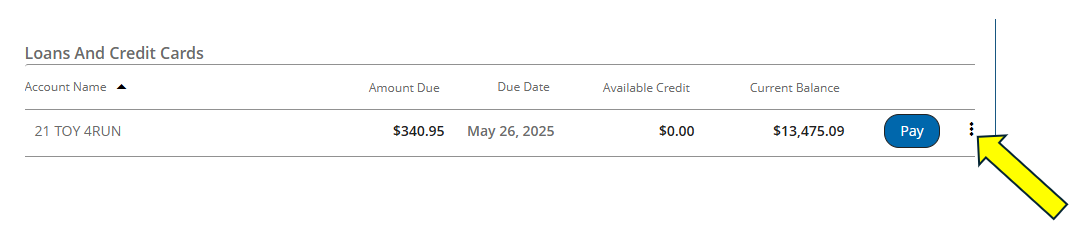
Once logged into Online Banking, select the “More Options” feature on the loan you would like to pay by clicking the three dots to the right of the “Pay” button.
Step #2
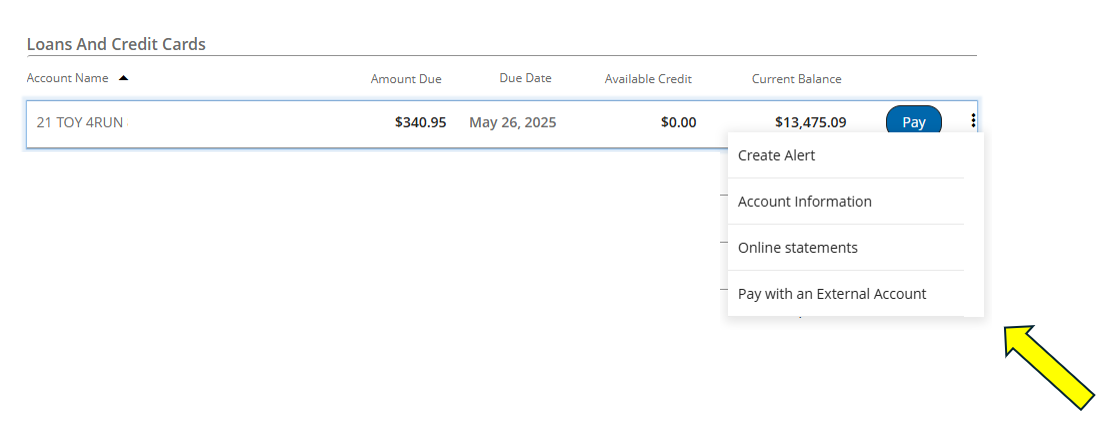
Once “More Options” is selected, choose “Pay with an External Account” from the menu.
Step #3
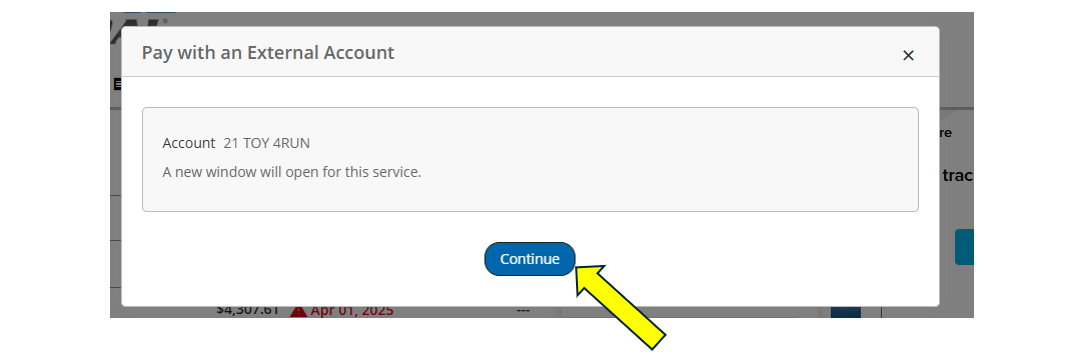
Click “Continue” to proceed to Pay with an External Account.
Step #4
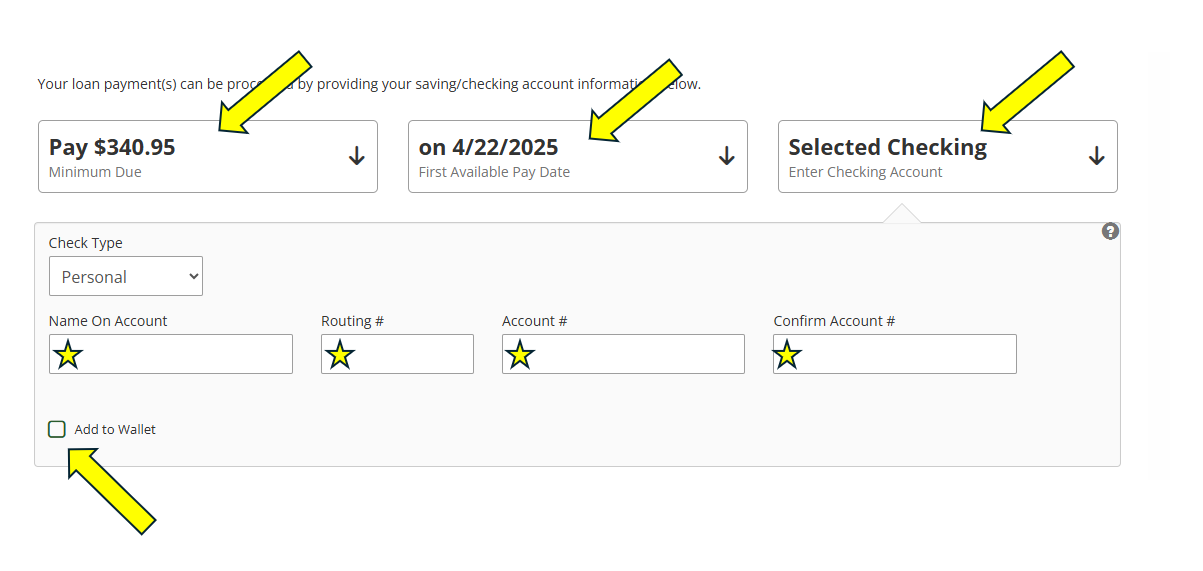
Within the Pay from an External Account page, you can select the Payment Amount, Payment Date, and input the account information for the financial institution you would like to use to pay your loan. You can save the account details and set up automated payments for added convenience.
Questions?
If you have any questions or concerns regarding paying your Island Federal loan from an external account, please contact us at: